
I thought I would say a little more about the pixel sorting method I mentioned in my last post. I wrote a tool using an open source programming framework called Processing that is good for data visualization and animation. It allows me to read in all the pixels in a digital image and store their RGB color values in an array. I can then sort this array and write out the pixels in their new positions to a jpeg.
Here's an example. I took a picture of a blooming thistle in our yard:

Then, I sorted the pixels and laid them out in an L shape:

The reason that there's not a strict separation between green and pink is because of the way colors are represented in RGB format. A 24-bit color is given by a six-digit hexadecimal number that schematically looks like RRGGBB. The first two digits give the R value, the second two are G, and the last two are B. So, the most significant digits tell you how much red is in a pixel and the least significant digits tell you how much blue. That means that, if you think of the full 24-bit scale, that blue pixels will appear all throughout that range but red pixels will be more or less concentrated towards one end. If you reorder the digits in the color representation, say GGRRBB instead of RRGGBB, then the sorted colors will give a different pattern.
After I wrote my program, I found that someone else implemented something similar in Python.
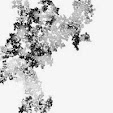
Anyway, after sorting the pixels, I combined that image with a black-and-white version of the original photograph to produce this:

A small print of this image is available in my shop on Etsy.




1 comment:
whoa, WERNER--and I love pinkish and green-ish colors together too! I liked seeing your art at Aurora :)
Post a Comment